

Hostinger vs Bluehost vs Namecheap 2026: The Honest Comparison
Three of the most popular web hosting names, side by side. We compare Hostinger, Bluehost, and Namecheap across pricing, speed, support, features, and ease of use — using real plan data — to help you pick the right hosting service without the marketing fluff. Short version: all three are solid, but one wins on overall value for most people.
If you’re choosing a web hosting service in 2026, three names almost always make your shortlist: Hostinger, Bluehost, and Namecheap. They’re all beginner friendly, all affordable, and all heavily advertised — which makes it genuinely hard to tell them apart. This comparison cuts through that by putting them head-to-head on the things that actually matter: real pricing (including renewals), performance, customer support, features, and how easy each is to use.
Here’s the quick verdict before we dig in. Hostinger is our pick for best overall value, thanks to its LiteSpeed + NVMe performance, beginner-friendly hPanel, and the lowest effective price once you factor in features. Bluehost is the strongest choice if you want a guided, WordPress-first experience — it’s one of only three hosts officially recommended by WordPress.org. Namecheap is the budget and domains champion, ideal if you want a cheap shared hosting plan alongside low-cost domain registration. Let’s see how they compare in detail.
Hostinger vs Bluehost vs Namecheap: Quick Comparison
| Feature | 🏆 Hostinger | Bluehost | Namecheap |
|---|---|---|---|
| Our Rating | 5.0 | 4.4 | 4.3 |
| Starting Price | $2.99/mo | ~$2.99/mo | $1.90/mo |
| Web Server | LiteSpeed + LSCache | Apache (OCI cloud) | Standard |
| Storage | NVMe SSD (Business+) | NVMe SSD | SSD |
| Free Domain (Yr 1) | ✅ | ✅ | ❌ |
| Free SSL Certificate | ✅ | ✅ | ✅ |
| Control Panel | hPanel (custom) | Custom / cPanel-style | cPanel |
| Phone Support | ❌ (24/7 chat) | ✅ | ❌ (24/7 chat) |
| Money-Back | 30 days | 30 days | 30 days |
| Best For | 🏆 Overall value & speed | Guided WordPress | Domains & budget |
| Visit → | Visit → | Visit → |
Hostinger — Best Overall Value
Hostinger has spent the last few years transforming from a budget host into a genuine performance leader, and in 2026 it tops our comparison. Every plan runs on the LiteSpeed web server with LSCache, and Business plans and above add NVMe SSD storage — the combination delivers fast load times that punch well above the price. Its custom hPanel control panel is one of the most beginner friendly dashboards available, with a one-click WordPress installer, automatic free SSL certificate, and built-in AI tools including a website builder.
On price, the entry plan starts at $2.99/month, and the Business plan at $3.99/month hosts up to 50 websites with daily backups and NVMe storage — a hosting package that’s hard to match. Support is 24/7 via live chat with fast response times (there’s no phone support, which is the main trade-off). With 8 global data centers and a free domain in year one, Hostinger is the host we recommend first for most people.
Pros
- LiteSpeed + NVMe = excellent speed for the price
- Beginner-friendly hPanel + 1-click WordPress
- Up to 50 sites on the $3.99 Business plan
- Free domain (Yr 1), free SSL, free daily backups (Business+)
- Built-in AI website builder & content tools
Cons
- No phone support (live chat & tickets only)
- Renewal prices higher than intro rates
- Premium plan has weekly (not daily) backups
- Cheapest rate needs a longer upfront term
Get an Extra 15% Off Hostinger
Our pick for best overall value. Apply coupon ELGABRY at checkout for an extra 15% off any Hostinger plan, on top of the current promo — with a free domain (Year 1), free SSL, and a 30-day money-back guarantee.
⚡ Get Hostinger + 15% OFFBluehost — Best for Guided WordPress
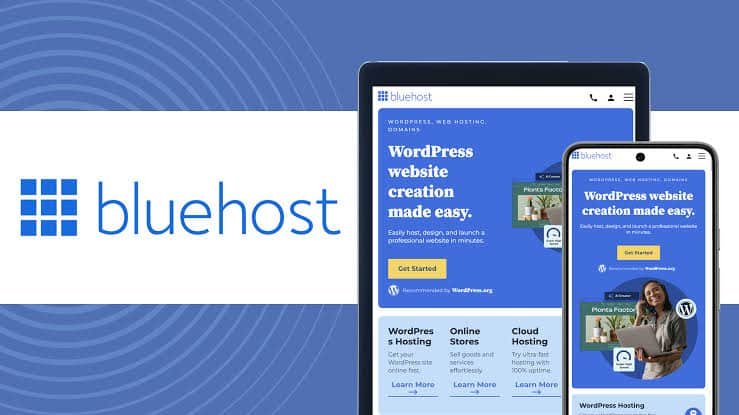
Bluehost’s biggest selling point is trust and guidance: it’s one of only three hosting companies officially recommended by WordPress.org, and its AI-powered WonderSuite setup flow walks beginners through building a WordPress site from prompts. In 2026, Bluehost’s plans run on Oracle Cloud Infrastructure (OCI), with NVMe storage, a free domain for year one, a free SSL certificate, automated backups, malware scanning, and — unlike the other two — phone support alongside live chat.
The catch is price. Bluehost’s introductory pricing starts around $2.99/month, but renewals jump significantly (the entry plan renews near $9.99/month), and higher tiers climb faster. It’s also Linux/WordPress-focused with no Windows hosting, and the checkout includes several add-on upsells to watch for. If your priority is a hand-held, WordPress-first experience with phone support, Bluehost is excellent. If you want the best raw value, Hostinger edges it out.
Pros
- Officially recommended by WordPress.org
- AI WonderSuite guided setup — very beginner friendly
- Phone support + live chat + knowledge base
- Free domain (Yr 1), free SSL, OCI cloud infrastructure
- Strong security tooling & automated backups
Cons
- Renewal prices jump sharply after the first term
- Pricier than Hostinger for multi-site hosting
- Upsells at checkout you’ll want to deselect
- No Windows hosting; WordPress-centric
Namecheap — Best for Domains & Budget
Namecheap built its reputation on cheap, no-nonsense domain registration, and that DNA carries into its hosting. With shared hosting plans starting at just $1.90/month, it’s the lowest sticker price in this comparison, and it bundles a free SSL certificate plus famously affordable domains with free WHOIS privacy. If you want to register a domain and run a small site on a tight budget, Namecheap is tough to beat on cost, and it uses standard cPanel that many users already know.
The trade-offs show up in performance and extras. Namecheap doesn’t include a free domain with hosting the way Hostinger and Bluehost do, its raw performance and support response times generally trail the other two in independent performance tests, and it lacks the premium features (LiteSpeed, advanced AI tooling, OCI infrastructure) of its rivals. For budget-focused users and domain buyers, it’s a great fit; for performance-critical sites, Hostinger is the stronger pick.
Pros
- Lowest starting price in this comparison ($1.90/mo)
- Excellent, cheap domain registration + free privacy
- Free SSL certificate included
- Familiar cPanel control panel
Cons
- No free domain bundled with hosting
- Performance & support trail Hostinger/Bluehost
- Fewer premium features (no LiteSpeed/AI suite)
- Best as a domain registrar first, host second
Head-to-Head: How They Compare
Pricing
Namecheap wins on sticker price ($1.90/mo). Hostinger ($2.99) delivers more performance and websites per dollar. Bluehost (~$2.99 intro) has the steepest renewal jump — read the fine print on all three.
Speed & Performance
Hostinger leads on load time thanks to LiteSpeed + NVMe. Bluehost’s move to OCI improved its numbers. Namecheap is fine for small sites but generally trails in performance tests.
Support
Bluehost is the only one with phone support plus live chat. Hostinger’s 24/7 chat has fast response times and a strong knowledge base. Namecheap offers 24/7 chat but a slower support team at peak times.
Features
Hostinger packs the most into the price (AI website builder, free daily backups on Business, 8 data centers). Bluehost shines on WordPress tooling. Namecheap keeps it lean and cheap.
Ease of Use
Hostinger’s hPanel and Bluehost’s AI WonderSuite are both very beginner friendly. Namecheap uses classic cPanel — familiar to many, but less guided than the other two.
Domains
Namecheap is the domains specialist with the cheapest registrations and free privacy. Hostinger and Bluehost both bundle a free domain for year one with hosting, which Namecheap doesn’t.
Which One Should You Choose?
Choose Hostinger if you want the best overall value — fast LiteSpeed + NVMe performance, a beginner-friendly hosting service, up to 50 websites on an affordable plan, and built-in AI tools. It’s the right pick for the majority of bloggers, small businesses, and developers, especially with the ELGABRY coupon dropping the price further.
Choose Bluehost if WordPress is your whole world and you want the most guided, hand-held setup, official WordPress.org backing, and the reassurance of phone support. It’s ideal for non-technical users building their first WordPress site who don’t mind paying a bit more at renewal.
Choose Namecheap if you’re on the tightest budget or you primarily need cheap, reliable domain registration with a basic shared hosting plan attached. It’s the value play for simple sites and domain buyers who don’t need premium performance.
Hostinger vs Bluehost vs Namecheap — FAQs
Final Verdict
All three of these hosts are legitimately good — but they’re built for different priorities. Hostinger wins our overall comparison for the blend of LiteSpeed + NVMe speed, beginner-friendly hPanel, generous websites-per-plan, and the lowest effective price once you apply the ELGABRY coupon. Bluehost is the best choice if you want guided, WordPress.org-recommended WordPress hosting with phone support. Namecheap is the budget and domains champion for simple sites and cost-conscious buyers.
For most people reading this comparison, the answer is Hostinger — it’s the option we’d choose ourselves for a new site in 2026. Whichever you pick, all three offer a 30-day money-back guarantee, so you can test your choice with no risk.
🚀 Start with Our Top Pick: Hostinger
Best overall value in this comparison. Get current promo pricing plus an extra 15% with ELGABRY — LiteSpeed + NVMe speed, free domain (Year 1), free SSL, and a 30-day money-back guarantee.
⚡ Get Hostinger + 15% OFFDisclosure: HostingExplorers may earn a commission when you purchase through links on this page, at no extra cost to you. Hostinger and Namecheap data is from our independent review database; Bluehost data is compiled from public sources including Bluehost.com. Introductory prices are promotional and renew at higher rates — always confirm the current price and renewal rate at checkout. Affiliate relationships never affect our rankings.